Every tool I cover on this site gets measured against something, and for a huge number of readers, that something is GitHub Copilot — the tool most people trying AI coding assistance for the first time have actually heard of, whether or not they’ve tried anything open source at all. I’ve referenced it in passing without ever giving it a dedicated look, which is a real gap on a site built around its alternatives.
What it actually is today: closed-source, owned by GitHub (Microsoft), with Agent Mode built directly into VS Code — not just inline completions anymore, but a mode that can plan and execute multi-step changes across a codebase on its own. Copilot Workspace extends that further into issue-to-PR automation: point it at a GitHub issue, and it can draft an actual pull request addressing it, not just suggest a snippet. Model choice runs multi-vendor rather than locked to one lab — current options span Claude, GPT-5.4, and Gemini 3.1 depending on plan tier, which is a real shift from Copilot’s early days as a single-model product.
Pricing, as of this month: a free tier exists, capped at 2,000 completions a month — genuinely usable for light work, not just a crippled trial. Paid tiers run $10/month for the standard plan and $39/month for Pro+, the tier that unlocks the full multi-model lineup and Workspace’s issue-to-PR flow.
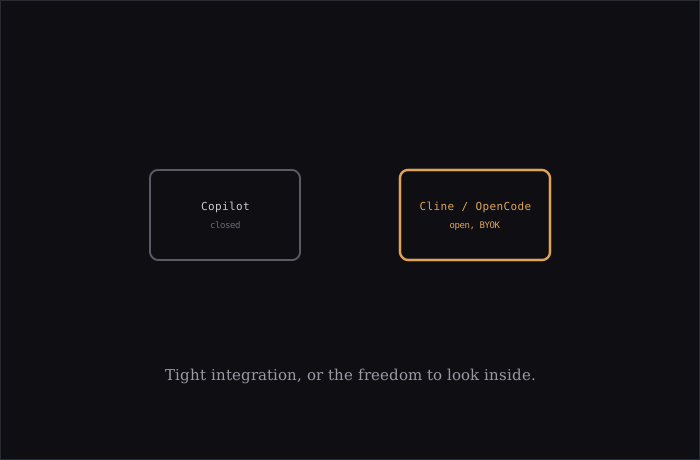
How this actually compares to what else is on this site: the honest, most direct tradeoff against Cline, Aider, or OpenCode is closed weights against open ones — Copilot’s core is not something you can read, audit, or self-host, in exchange for tight, official IDE integration and a support org actually behind it. Against BYOK tools generally, Copilot’s model access is bundled into its own subscription tiers rather than metered per-token against a key you hold yourself — simpler to budget, but you’re paying GitHub’s markup and margin rather than the provider’s raw per-token rate, and you’re not free to point it at whichever model you’d pick independently.
Where it’s genuinely strong, not just “the popular one”: the VS Code integration is about as tight as integration gets, for the obvious reason that Microsoft owns both products and can prioritize that relationship over any third-party extension’s access to the same APIs. Copilot Workspace’s issue-to-PR flow is a real, distinctive capability — most open alternatives can act on a task you describe directly, but fewer have built the specific workflow of taking a GitHub issue as-is and working backward to a matching PR.
Where the open alternatives still have a real edge: genuine model choice down to the specific provider and version rather than picking from a fixed tier’s bundle; the ability to actually read what the tool is doing at the code level rather than trusting a closed process; and, for anything BYOK, the option to route different tasks to differently priced models rather than one bundled rate covering everything. Neither list of tradeoffs makes one option strictly better — it’s the same closed-integration-and-support-org versus open-and-auditable choice that shows up throughout software, just landing squarely in coding agents this time.
If you’re already deep in the open-source side of this space, Copilot mostly isn’t competing for your attention — you’ve already made the tradeoff the other way. But if you’re the person this whole site is implicitly written for, someone getting curious about AI coding tools for the first time, there’s a real chance Copilot is the one you’ve actually tried, and it’s worth knowing exactly what you’d be trading in either direction before picking a lane.