Dating note: GitHub announced both of these on October 1. I’m catching up, because together they change what Copilot’s command-line and desktop tools can do. If you want the basics of Copilot first, I covered them here.
Computer use
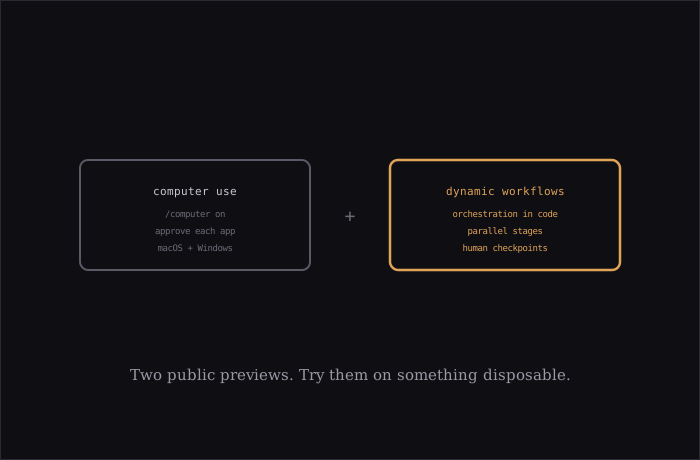
According to SessionWatcher’s summary of GitHub’s announcement (I could only read the summary, not GitHub’s own page), Copilot can now interact with desktop applications: reading accessible content, clicking controls, typing, scrolling and moving through a workflow across apps. The target is software with no API or command line, like a legacy internal tool.
- Where: public preview in Copilot CLI and the Copilot app, on macOS and Windows
- Safety: you approve before Copilot controls an app, you can review and reset app permissions, and organizations can disable it entirely. On macOS it needs Accessibility and Screen Recording permissions.
- Turn it on:
/computer onin the CLI, or Settings > Computer Use in the app
The announcement doesn’t say which plans get it, so I wouldn’t assume.
Dynamic workflows
GitHub’s changelog describes these as programs that define an orchestration in code, for “the reliability and observability that complex, multi-agent work demands.” A workflow can mix plain steps with agent steps, run things in sequence or in parallel, pass structured results from one stage to the next, and pause at checkpoints for human review.
The use cases GitHub lists are the practical ones: release verification, parallel file review in pull requests, spotting patterns across a codebase, and long jobs that need to pause and resume. For quick questions or small edits, normal chat is still the right tool.
- Availability: all Copilot plans, public preview, subject to change
- In the app: no setup
- In the CLI: run with
--experimentalor use/experimental on
Why I find this interesting
Most agent setups I’ve seen coordinate multiple agents through a prompt and hope. Putting the orchestration in code is a different bet: you get something you can version, rerun and inspect, instead of a chat transcript. It’s the same direction a lot of agent tools are heading: make the multi-agent part something you can program, not just prompt.
Both features are previews, so expect rough edges. Computer use in particular is the kind of capability I’d try first on a throwaway account and a test app, not on anything with real data.
Sources: GitHub Changelog, SessionWatcher summary of the computer-use announcement.